
The same image can appear as a cover, a thumbnail, and a social preview. Each placement calls for a different size and crop. With image variants in RenewCMS, you can upload an image once, define the formats your site needs, and see how much space the generated files take up in the cache.
Upload the originals
In the demo, I upload five images to the media library. I use one of them to make a landscape cover. The original remains available for other uses, such as a full-size view in a gallery.
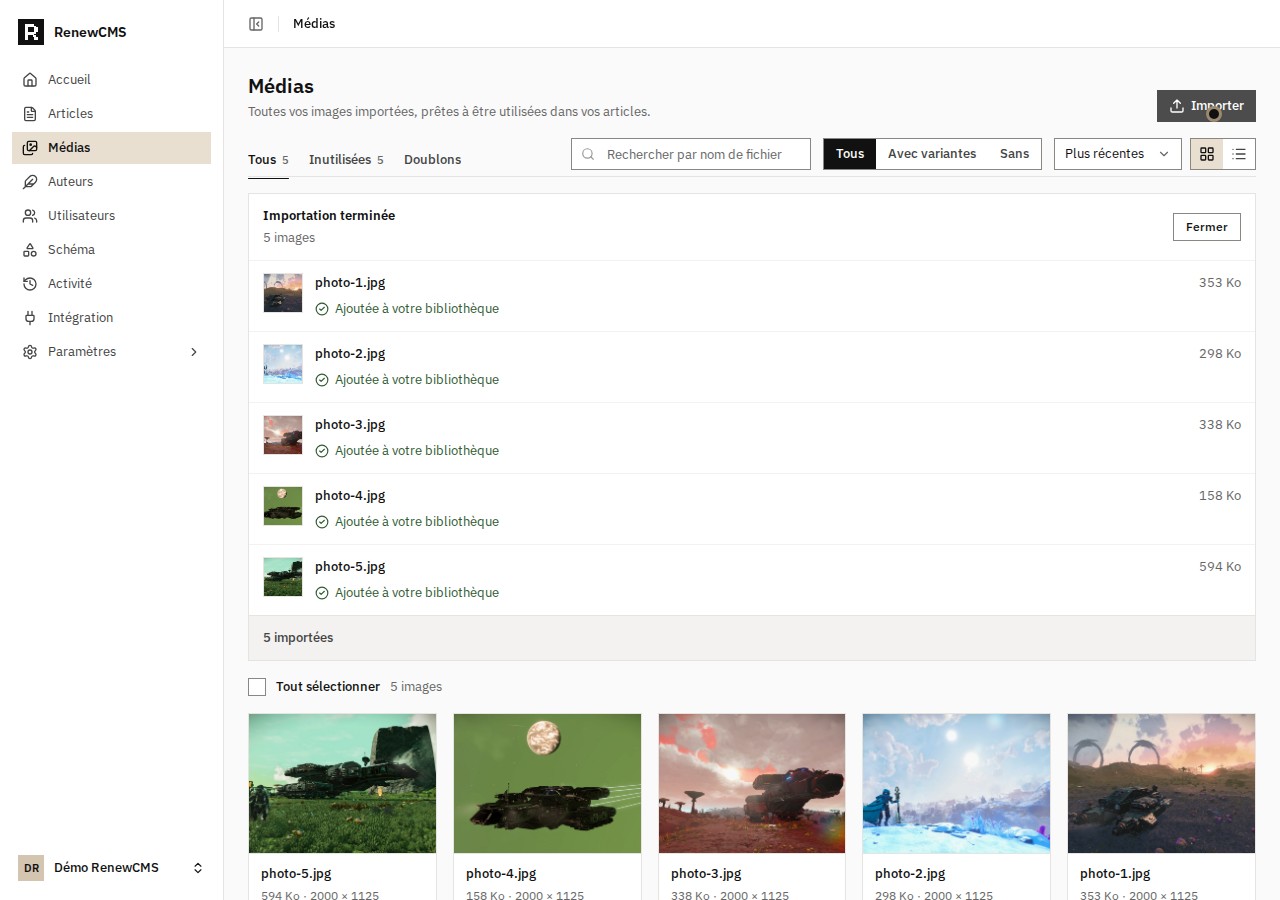
The five original images in the demo media library.
Define a variant for covers
In the media settings, I create a variant named hero. It produces a 1200 × 630 WebP image using the cover fit, which fills the frame and crops the overflow. That rule applies whenever I request the variant for an image. Thumbnails can have a separate rule with their own dimensions and fit.
The frontend requests the cover by adding ?v=hero to the image URL. If the enabled variant is missing from the cache, RenewCMS generates it from the original and stores the result. Later requests can reuse that file. You can also generate it manually from the image’s Variants tab and open a preview.
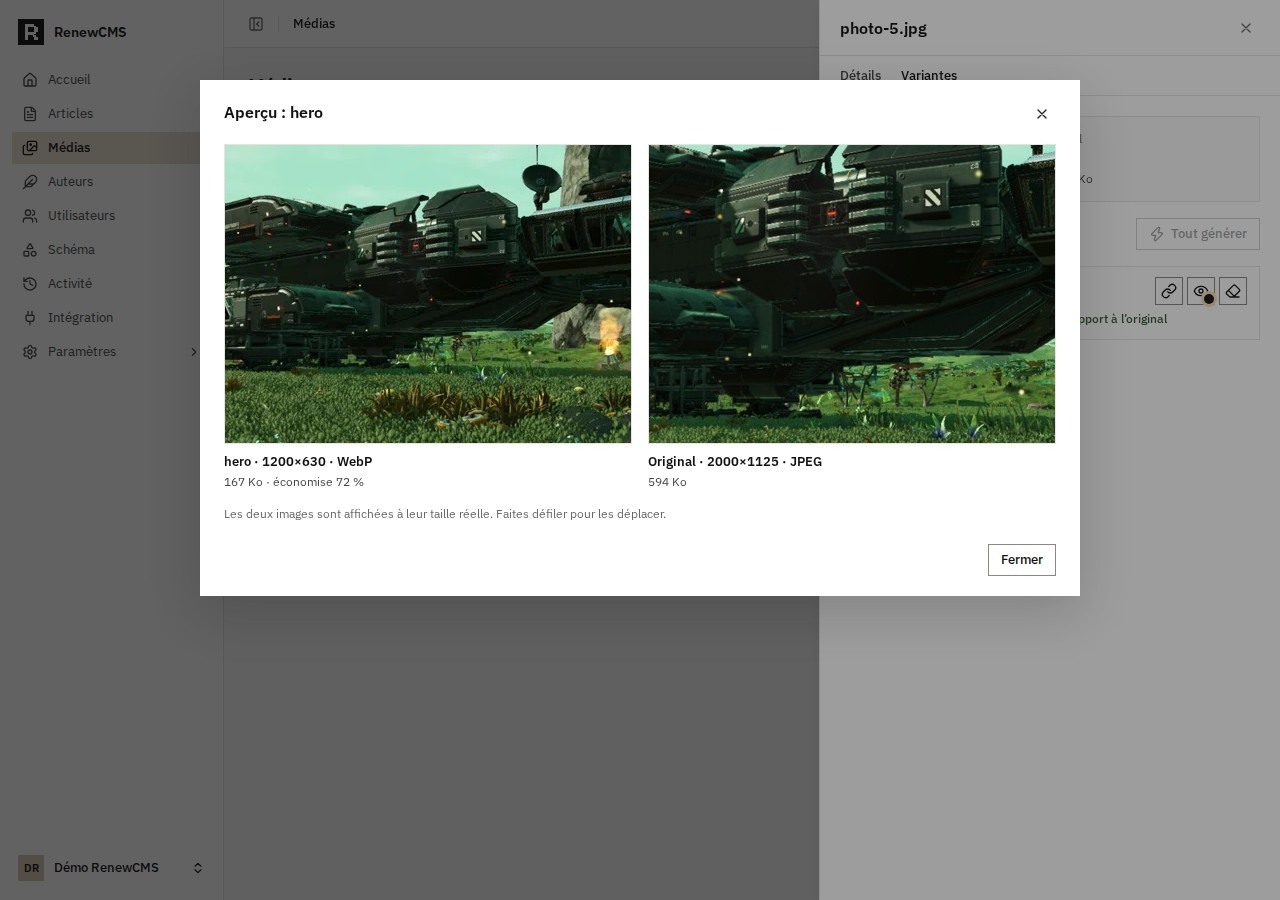
The preview lets you check the crop and compare the dimensions and file sizes.
See what is taking up space
The Cache tab brings together figures for the whole instance. It shows how many files have been generated, their total size, a breakdown by variant, and the ten source images whose variants take up the most space. In the demo, I generate a variant for one image. The dashboard already shows how much space the hero file uses and which image it belongs to.
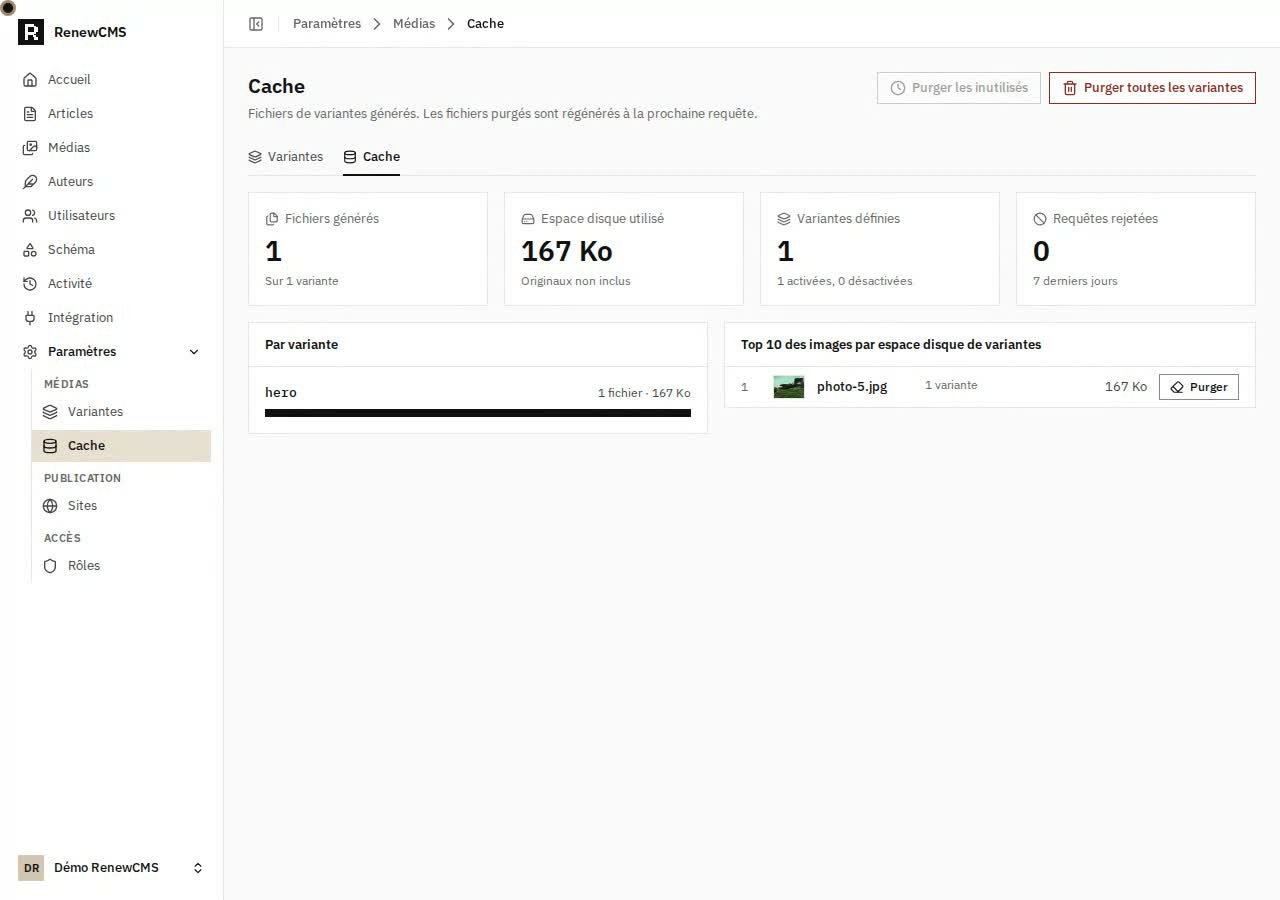
The cache dashboard before purging the files for one image.
Free up space and regenerate
From the dashboard, I purge the generated files for the demo image. The counter drops to zero, and I can return to the image details to generate hero again. The original stays in the media library, and the hero definition is still available. The next frontend request for that enabled variant can also recreate the file.
For a wider cleanup, you can purge the files for a particular variant or clear the entire cache. The unused-files action targets files from enabled variants that have gone more than 30 days without a request, including files created more than 30 days ago that have never been requested. That gives you a way to reclaim space based on the requests RenewCMS has received.